Export any chat, 7 formats
Markdown, PDF, Text, JSON, CSV, PNG or HTML. Code blocks, tables, images, sources and Canvas come along, beautifully laid out.
Export conversations to PDF, Markdown and five more formats, download every image at full quality, and back it all up to your own Google Drive. Then clean up with confidence.
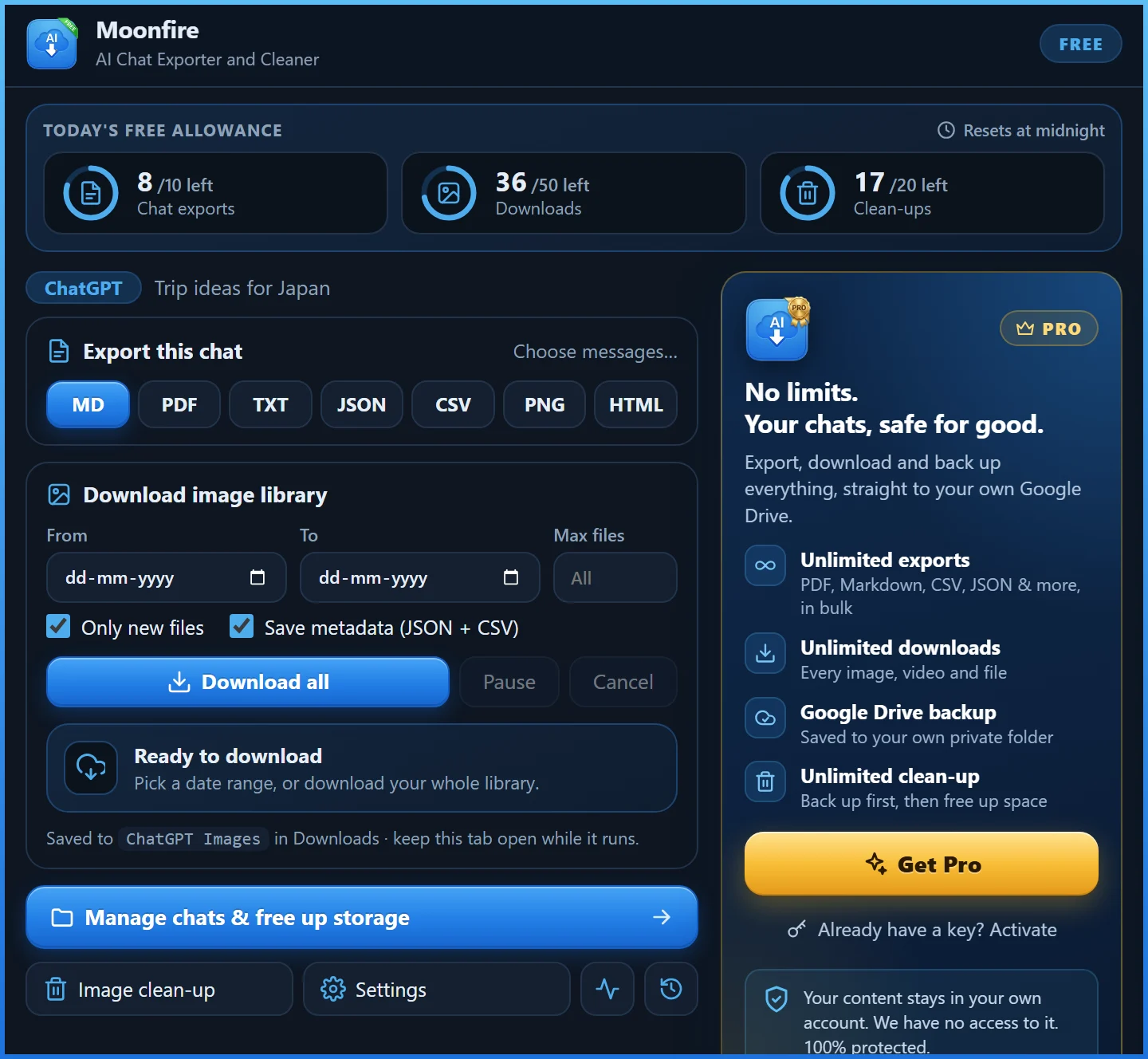
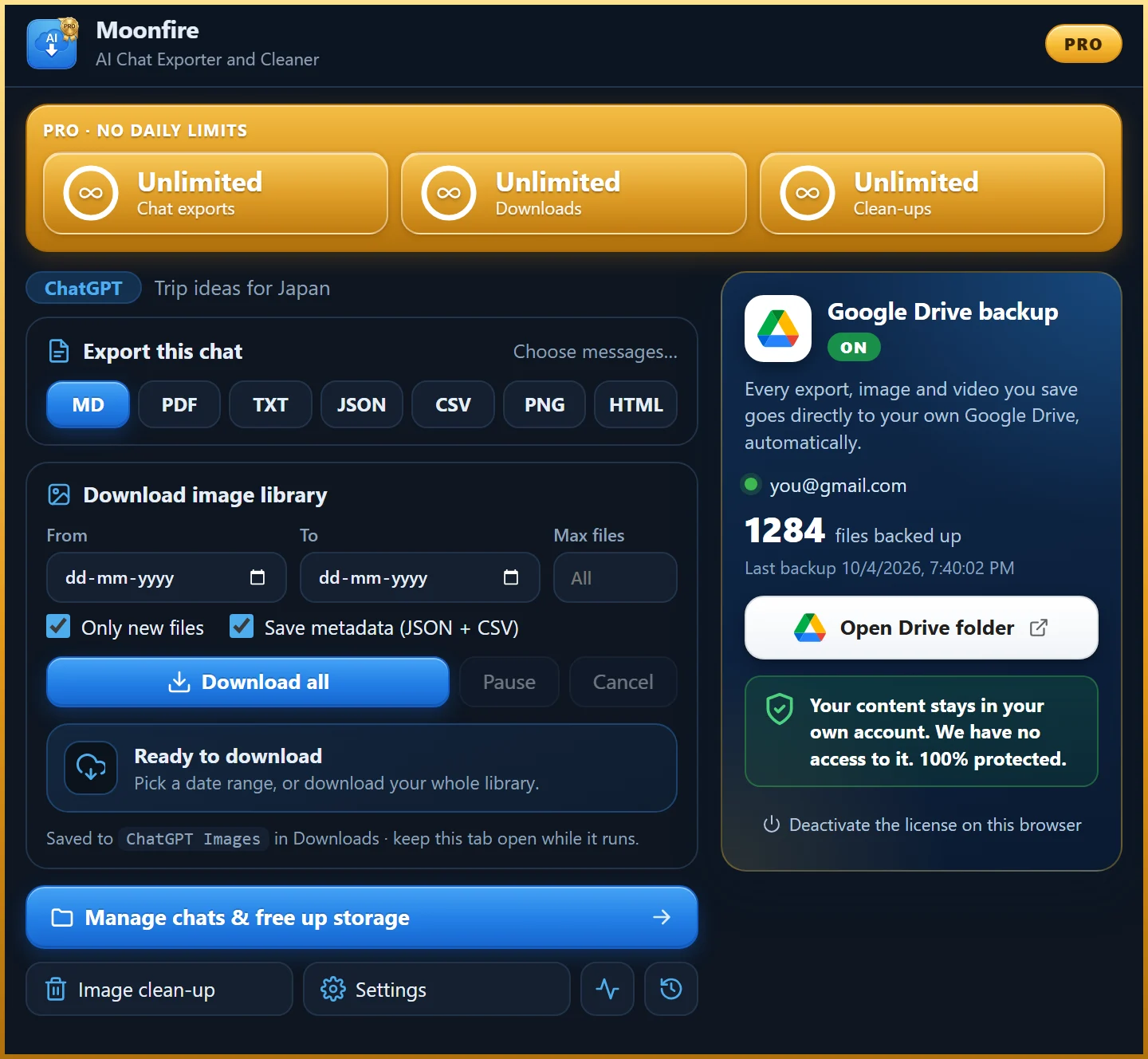
Built for people who create with ChatGPT and Grok every day, and don't want to lose a single prompt, answer or image.
Markdown, PDF, Text, JSON, CSV, PNG or HTML. Code blocks, tables, images, sources and Canvas come along, beautifully laid out.
All messages, only your questions, only the answers, or tick each one. Set page size, dark mode, table of contents and page numbers for PDFs.
Every ChatGPT and Grok image, Imagine video and file at original quality. Date filters, "only new files", pause, resume and retry.
A media gallery pairs each image or video with the prompt that made it, and writes the prompt into saved PNG and JPEG files.
Filter your chat list by title or date and export dozens of conversations at once, neatly organised in folders.
Archive or delete old chats only after their backup has finished downloading. Nothing is removed until it is safely saved.
Turn it on once. From then on, every export, image and video you save also goes straight to a private folder in your Drive, automatically. Lose your laptop, clear your chats: your work is still there.
Install the extension. It's free, with no sign-up and no card.
Go to ChatGPT or Grok and open a conversation. A blue download button appears in the corner.
Choose PDF, Markdown or any other format. Or open the popup to download your whole image library.
Every feature is in the Free plan. Pro removes the daily limits and backs everything up to your Google Drive.
Everything, with a daily allowance.
Flexible. Cancel any time.
Best value for everyday creators.
Pay once. Unlimited, for good.
| Compare plans | Free | Pro |
|---|---|---|
| Chat exports per day | 10 | Unlimited |
| Image & file downloads per day | 50 | Unlimited |
| Clean-ups (archive / delete) per day | 20 | Unlimited |
| All 7 export formats | ||
| Choose messages & PDF settings | ||
| Prompt ↔ media gallery & image metadata | ||
| Bulk export & back-up-then-clean-up | ||
| Automatic Google Drive backup | ||
| Browsers per license | Any | 3 |
| Support | Priority email |
Yes. The Free plan includes every feature with a daily allowance: 10 chat exports, 50 image or file downloads and 20 clean-ups per day. No account and no card needed. Pro removes the limits and adds Google Drive backup.
No. The extension runs entirely in your browser. Your chats and files go straight to your computer and, if you choose, to your own Google Drive. We have no servers that receive them, and we use no analytics or trackers.
Only the files and folders the extension creates itself (Google calls this the "drive.file" scope). It cannot see, read or change anything else in your Drive. Disconnect any time and the files stay yours.
ChatGPT (chatgpt.com) and Grok (grok.com), on free and paid accounts of those services. Open a chat and use the blue download button, or the toolbar popup.
It is built for Google Chrome on desktop. Google Drive backup uses Chrome's built-in Google sign-in.
One Pro license works on up to 3 browsers, for example your work and home computers. You can deactivate a browser from the extension at any time to move the license.
Monthly and yearly plans can be cancelled any time and stay active until the end of the period you paid for. Every first purchase has a 14-day money-back guarantee. See the Refund Policy.
The extension first saves a backup of each chat (JSON, Markdown or HTML). Only once that backup has finished downloading does it archive or delete the chat, using the same request the site's own menu sends.
No. It is an independent extension made by Moonfire Private Limited and is not affiliated with or endorsed by OpenAI, xAI or Google.
Free forever for everyday use. Upgrade for unlimited saves and Drive backup.